Relume
Turn prompts into wireframes & sitemaps for web design in seconds
Official Preview
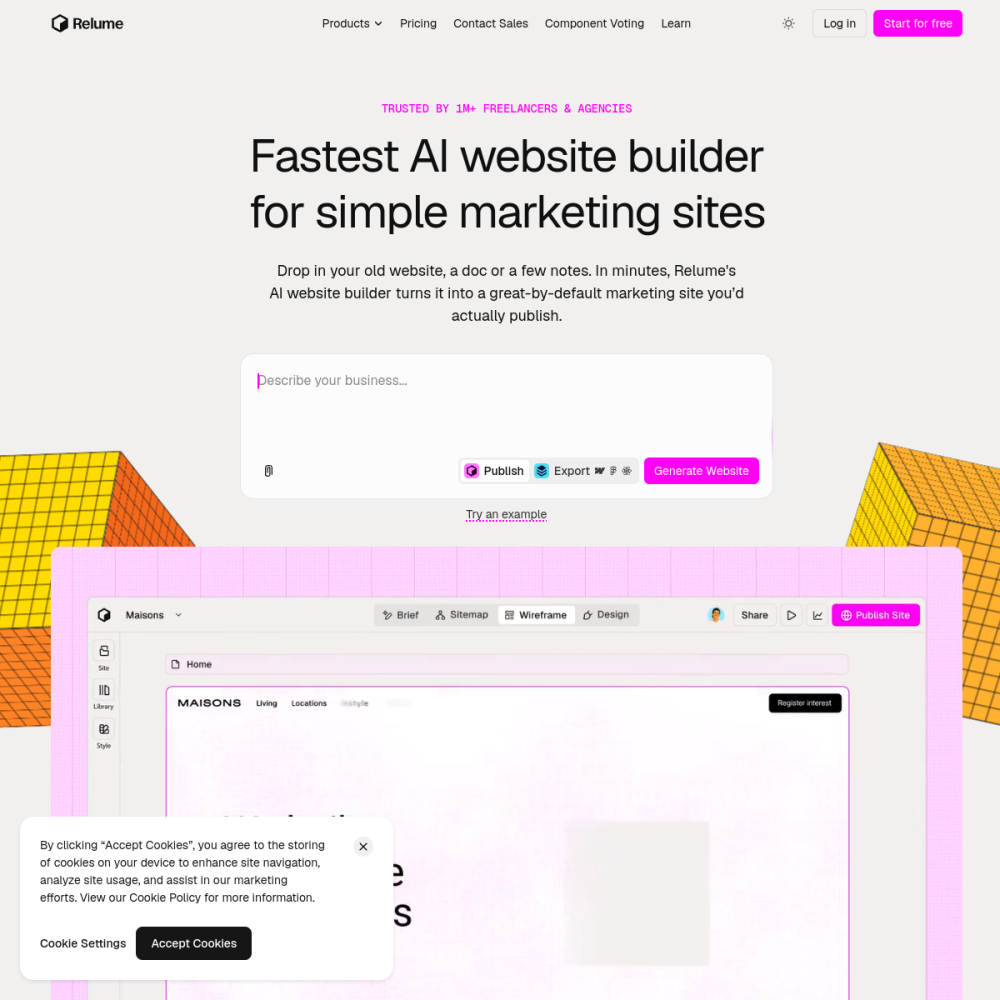
Turn prompts into wireframes & sitemaps for web design in seconds
In-Depth Review
Relume is an AI-powered design tool that converts simple text prompts into structured wireframes and sitemaps. Instead of starting from a blank canvas, you describe your project in plain language and receive a visual layout in seconds.
It targets designers, developers, and product teams who need to move quickly from idea to structure. Whether you are prototyping a landing page or mapping a full multi-page site, Relume removes the blank-page friction that slows early-stage design work.
Relume is a web-based AI tool that generates wireframes and sitemaps from natural-language prompts. You type a description of the page or site you need, and the tool produces a structured visual layout with sections, components, and hierarchy.
The output is editable, meaning you can rearrange blocks, swap components, and refine the structure before handing it off to a designer or developer. This makes it a bridge between ideation and production rather than a final design tool.
The core feature is prompt-to-wireframe generation. Enter a description such as 'a SaaS pricing page with three tiers and a comparison table' and Relume builds the layout automatically.
It also generates sitemaps, giving you a bird's-eye view of page relationships and navigation flow. The tool supports editing directly in the browser, so you can tweak sections without leaving the interface.
Export options let you move your wireframes into design tools like Figma, making it easy to hand off to a design team or continue refining in a more detailed environment.
Relume is built for UX designers and product designers who want to accelerate the early structuring phase of a project. It is also useful for developers who need a visual reference before writing code.
Freelancers and agencies can use it to present concepts to clients quickly. Product managers and founders benefit as well, since they can communicate page structure without needing design software skills.
One frequent use case is landing page wireframing. Marketers and designers can generate a first draft of a campaign page in minutes, then iterate on the structure before diving into visual design.
Another common scenario is sitemap planning for new websites. Relume helps teams map out page hierarchies and navigation paths before any design work begins, reducing rework later.
Teams also use it for concept exploration, generating multiple layout variations from slightly different prompts to compare approaches quickly.
To use Relume, visit the website and sign up for an account. You will be prompted to enter a description of the page or site you want to create. The more specific your prompt, the more relevant the output.
Start with a clear structure in mind—mention the type of page, key sections, and any specific components you need. After generation, review the wireframe, rearrange sections as needed, and export to your preferred design tool.
For best results, iterate on your prompts. If the first output misses a section, refine the description and regenerate. Treat Relume as a collaborative partner that accelerates your workflow rather than a replacement for design thinking.
No. Relume focuses on the wireframing and sitemap stage. You can export your work to tools like Figma for detailed visual design, making it a complement rather than a replacement.
Yes. Relume provides an in-browser editor where you can rearrange sections, add or remove components, and adjust the layout before exporting.
Relume offers a free tier with limited generations. Paid plans unlock more prompts and advanced features. Check the official website for current pricing details.
Free infinite AI canvas for vectors
Figma's native AI design tools