Official Preview
In-Depth Review
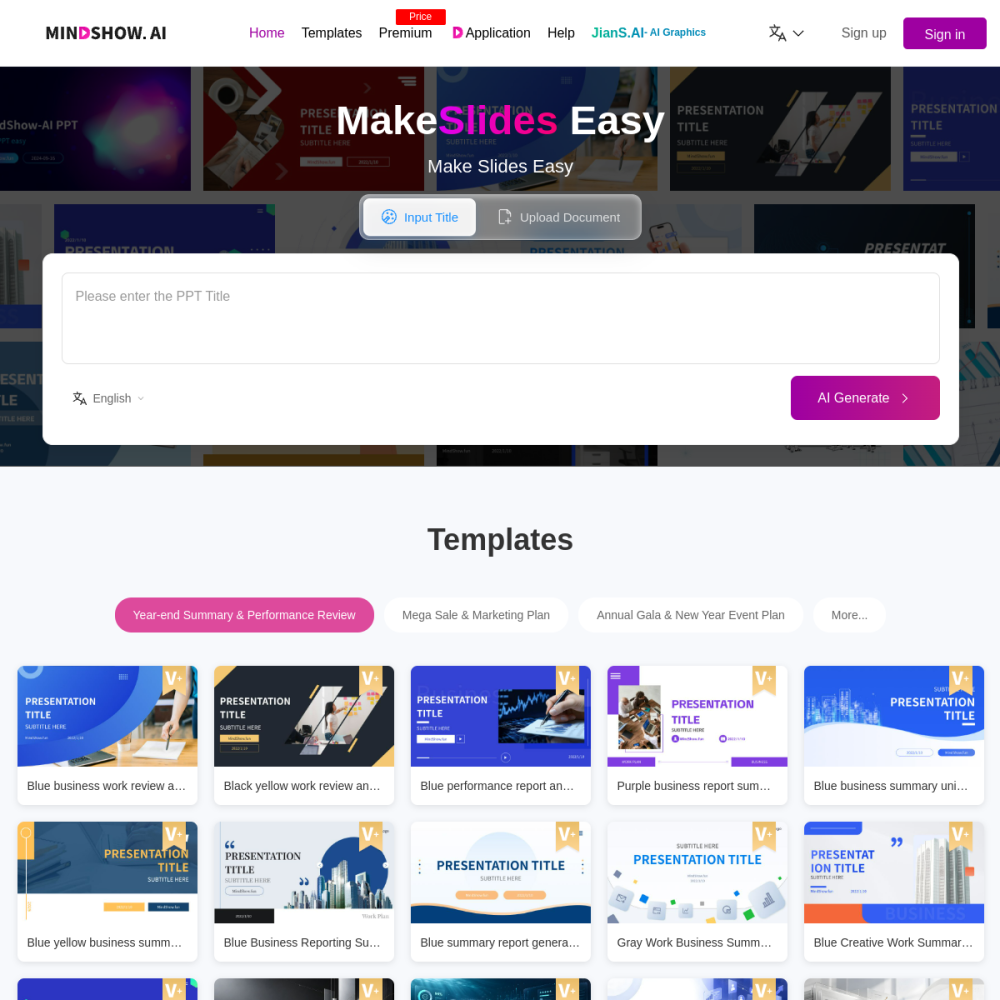
MindShow is an AI-powered presentation tool that converts markdown files and text outlines into formatted slide decks automatically. Instead of manually designing each slide, you write your content in a familiar text format and let the tool handle layout, styling, and structure.
It targets professionals, educators, and content creators who need to produce presentations quickly without deep design skills. This guide covers what MindShow does, who benefits most, and how to get started.
MindShow is an online AI tool that transforms plain-text outlines and markdown documents into complete presentation decks. You input your content in a structured text format, and the tool generates slides with layouts, headings, and formatting applied automatically.
Unlike traditional slide software that requires manual design work, MindShow focuses on the conversion step. The tool interprets your outline hierarchy and maps it to slide structures, reducing the time between drafting content and producing a shareable deck.
MindShow supports markdown syntax and hierarchical outlines as input formats. The AI engine parses headings, subheadings, bullet points, and lists to determine slide content and structure.
The tool applies presentation-ready layouts and visual formatting to your text. You can adjust templates and styling after generation to match your brand or presentation context. Export options allow you to download or share the finished deck.
MindShow is designed for anyone who needs to create presentations from existing written content. This includes business professionals preparing reports, educators building lecture slides, and content creators who write in markdown or outline formats.
It is especially useful for users who are comfortable writing structured text but lack the time or design skills for manual slide creation. Writers, researchers, and project managers who maintain notes in outline form can convert those directly into shareable decks.
Teams use MindShow to turn meeting notes or project outlines into client-facing presentations. Educators convert lesson plans and research summaries into classroom slides. Writers and bloggers repurpose long-form markdown content into visual presentations for talks or webinars.
Internal knowledge sharing is another common scenario. Organizations can convert documentation or process outlines into training decks without starting from a blank slide canvas.
To use MindShow, visit the website at mindshow.fun and create an account. Import your markdown file or paste an outline into the editor. The tool generates your presentation automatically, and you can then customize layouts, colors, and slide order before exporting.
For best results, structure your outline with clear heading levels. Use consistent formatting for bullet points and avoid overly long text blocks per slide. Preview the generated deck before finalizing to ensure the AI mapped your content correctly.
No. MindShow handles layout and formatting automatically from your text input. You can make minor adjustments after generation, but no design experience is needed.
MindShow accepts markdown files and structured text outlines. You can paste content directly or upload a file in supported formats.
Yes. After the AI generates your slides, you can modify layouts, text, and styling to match your needs before exporting the final deck.
AI presentation & slides generator