prompt-eng-interactive-tutorial

Vendor: anthropics

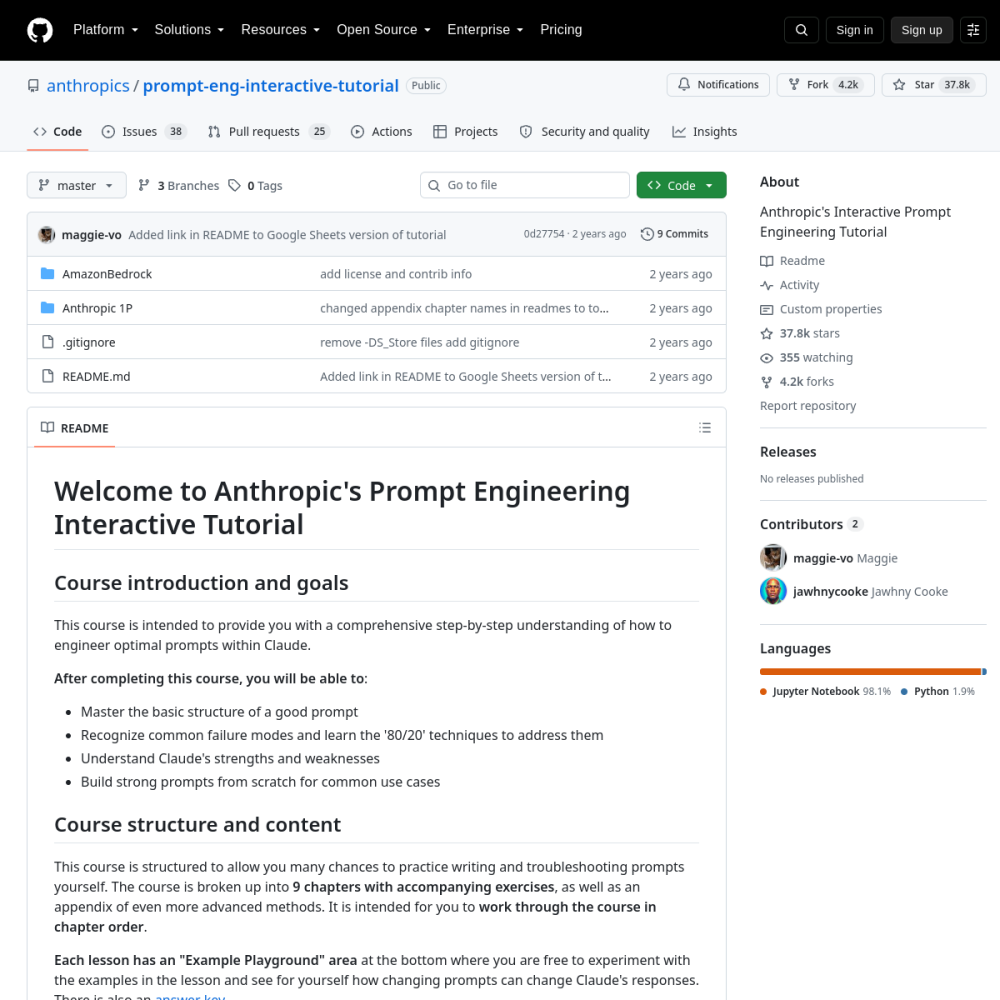
Anthropic's Interactive Prompt Engineering Tutorial is a canonical, MIT-licensed educational repository that systematically teaches prompt engineering fundamentals through 9 progressive chapters with hands-on exercises, serving as the definitive learning path for Claude API developers.

View Repository

Official Preview
prompt-eng-interactive-tutorial

Technical Specifications

Repositoryanthropics/prompt-eng-interactive-tutorial
GitHub Stars★ 37.8k
Forks4.2k forks
Primary LanguageJupyter Notebook
LicenseMIT
Technical DomainEDUCATION
4.8Overall
Functionality
5.0
Documentation
4.7
Activity
4.9
Ease of use
0.0

Quickstart & Installation

$ git clone https://github.com/anthropics/prompt-eng-interactive-tutorial.git

Comprehensive Review

Anthropic's Interactive Prompt Engineering Tutorial stands as one of the most widely adopted open-source educational resources in the LLM ecosystem, accumulating nearly 38,000 GitHub stars. The project is structured as a Jupyter Notebook-based curriculum that guides learners through nine chapters—from basic prompt structure through advanced techniques like few-shot prompting, structured output generation, and system prompt engineering. Unlike generic prompt engineering guides, this tutorial is deeply integrated with Anthropic's Claude API, providing live, executable examples that demonstrate real model behavior rather than theoretical abstractions. The pedagogical architecture follows a deliberate progression: each chapter introduces a concept, provides worked examples in an 'Example Playground' section, and concludes with exercises that reinforce learning through active experimentation. The tutorial leverages Claude 3 Haiku as its default model, making it cost-effective for extensive practice while noting that techniques generalize to Sonnet and Opus. A key architectural decision is the dual-format delivery—Jupyter Notebooks for developers and a Google Sheets variant via Anthropic's Claude for Sheets extension—ensuring accessibility across different user personas. The curriculum addresses critical failure modes including hallucination, instruction non-compliance, and output format inconsistency, providing the '80/20' techniques that yield the highest practical return. The inclusion of a public answer key spreadsheet enables self-paced learning with verifiable outcomes. This project has become a de facto onboarding standard for organizations adopting Claude in production, bridging the gap between raw API access and effective prompt design.

Project Background

Anthropic's Interactive Prompt Engineering Tutorial emerged from a fundamental recognition within the LLM industry: raw model capability is insufficient without systematic prompt design methodology. The project was conceived as a response to the growing gap between API accessibility and effective utilization, where developers could call Claude but lacked structured guidance on eliciting optimal outputs. Anthropic's design philosophy centers on experiential learning—rather than presenting prompt engineering as a set of static rules, the tutorial positions it as an iterative, empirical discipline where understanding emerges through direct experimentation with model behavior.

The architectural breakthrough of this project lies in its integration of pedagogical structure with executable code. Each chapter is not merely documentation but a living Jupyter Notebook that directly interfaces with the Claude API, creating a closed feedback loop between concept introduction and empirical validation. This design addresses a critical challenge in AI education: the disconnect between theoretical best practices and actual model behavior. By embedding exercises directly within the execution environment, the tutorial eliminates the abstraction layer that typically separates learning from practice. The choice of Claude 3 Haiku as the default model reflects a deliberate cost-benefit analysis, enabling unlimited experimentation without prohibitive API expenses while ensuring that techniques demonstrated generalize to more capable models in the family.

The tutorial's origin story also reflects Anthropic's broader commitment to transparent AI development. By open-sourcing this curriculum under the MIT license, Anthropic democratizes access to prompt engineering knowledge that was previously confined to internal documentation or paid courses. The project's architecture anticipates the needs of a diverse audience—from individual developers exploring LLM capabilities to enterprise teams establishing organizational prompt engineering standards—by providing both a developer-friendly notebook format and a spreadsheet-based alternative that lowers the barrier to entry for non-technical stakeholders.

Core Use Cases

Enterprise onboarding represents the primary use case for this tutorial, where organizations adopting Claude in production need to rapidly upskill their engineering teams. Companies building customer-facing AI applications, internal automation tools, or data processing pipelines can deploy this curriculum as a structured onboarding program. The progressive chapter structure allows teams to establish a common vocabulary and shared understanding of prompt design principles before tackling domain-specific challenges. Enterprise teams can fork the repository, customize exercises with their own domain data, and integrate the tutorial into their existing developer training infrastructure.

Developer education platforms and bootcamps leverage this tutorial as a foundational module in their LLM curriculum. The self-contained nature of each chapter, combined with the public answer key, makes it ideal for both instructor-led and self-paced learning environments. Educational institutions teaching AI/ML courses can incorporate these notebooks into their syllabi, providing students with hands-on experience that bridges theoretical machine learning concepts with practical LLM interaction design. The Google Sheets variant extends accessibility to business analysts and product managers who need prompt engineering literacy without requiring Python proficiency.

Organizations building internal prompt libraries and governance frameworks use this tutorial as a reference architecture for establishing prompt engineering standards. The techniques covered—system prompt design, few-shot exemplar selection, structured output formatting—directly inform the creation of organizational prompt templates, style guides, and quality assurance processes. Teams can use the tutorial's failure mode analysis to build internal checklists for prompt review, ensuring that production prompts address common pitfalls like instruction ambiguity, context overflow, and output format inconsistency.

Research teams and independent developers use this tutorial as a baseline for understanding Claude's behavioral characteristics before conducting more advanced experiments. The systematic exploration of model strengths and weaknesses provides essential context for researchers investigating prompt sensitivity, output reliability, and model comparison. Developers building tools on top of the Claude API—such as prompt optimization services, evaluation frameworks, or agent architectures—gain foundational understanding that informs their higher-level system design decisions.

Quickstart Guide

To begin with the tutorial, clone the repository and install the required dependencies. The project requires Python 3.8+ and the Anthropic Python SDK. Execute the following commands: git clone https://github.com/anthropics/prompt-eng-interactive-tutorial.git, then cd prompt-eng-interactive-tutorial and pip install anthropic jupyter. You will need an Anthropic API key, which can be set as an environment variable: export ANTHROPIC_API_KEY='your-key-here'. The tutorial is designed to be executed sequentially through Jupyter Notebook, starting with 01_Basic Prompt Structure.ipynb. Each notebook contains markdown explanations followed by executable code cells that call the Claude API directly.

A typical exercise cell follows this pattern: the user reads the concept explanation, then modifies a prompt template in a designated code cell to achieve a desired output. For example, in Chapter 1, learners experiment with the basic three-part prompt structure (system prompt, user prompt, expected output) by modifying the system instruction and observing how Claude's response changes. The 'Example Playground' sections at the bottom of each chapter provide safe experimentation zones where learners can freely modify prompts without affecting the main lesson flow. The API calls use the standard Anthropic SDK pattern: client.messages.create(model='claude-3-haiku-20240307', max_tokens=1024, system=system_prompt, messages=[{'role': 'user', 'content': user_prompt}]). This direct API integration means every exercise produces real model outputs, creating immediate feedback loops that accelerate learning.

For teams wanting to customize the tutorial, the repository structure supports straightforward modification. Each chapter is an independent notebook file, allowing organizations to add domain-specific exercises or replace example data with internal use cases. The Google Sheets variant, accessible via the Claude for Sheets extension, provides an alternative entry point for users who prefer spreadsheet-based interaction. To access the answer key for self-verification, navigate to the public Google Sheets document linked in the README. The tutorial recommends working through chapters sequentially, as later concepts build upon earlier foundations—particularly the progression from basic structure (Chapter 1) through clear instructions (Chapter 2), system prompts (Chapter 3), and into advanced techniques like few-shot prompting and structured outputs.

Practicality Assessment

From a production readiness perspective, this tutorial excels as an educational resource but requires contextual adaptation for direct production use. The prompt patterns demonstrated are production-viable and have been validated against real Claude API behavior, but the tutorial's primary purpose is skill development rather than providing drop-in production templates. Organizations should treat the techniques learned here as foundational patterns that require further refinement through domain-specific testing, A/B evaluation, and production monitoring. The tutorial's use of Claude 3 Haiku means that some advanced capabilities demonstrated may behave differently on Sonnet or Opus, requiring teams to validate patterns across their target model tier.

Scalability considerations are inherent in the tutorial's design philosophy. The techniques taught—particularly structured output formatting, system prompt optimization, and few-shot exemplar selection—directly address token budget management, which is critical for production systems operating at scale. By teaching developers to write concise, effective prompts early, the tutorial indirectly optimizes for API cost efficiency. However, the tutorial does not cover production-specific concerns like prompt caching strategies, batch processing optimization, or latency-sensitive prompt design, which teams must supplement from additional resources. The sandboxing model is straightforward: each exercise runs against the live Claude API with the user's own API key, meaning there are no isolated execution environments—developers must be mindful of API costs during extensive experimentation.

Debugging overhead is minimized by the tutorial's design, which emphasizes understanding model failure modes as a core learning objective. The '80/20' technique framework teaches developers to identify and address the most impactful prompt issues first, reducing the iteration cycles needed to achieve production-quality prompts. The primary caveat is that prompt engineering remains an empirical discipline—techniques that work in the tutorial environment may require adjustment when applied to specific domain contexts, different model versions, or production-scale workloads. Teams should establish internal evaluation frameworks and testing protocols to validate prompt effectiveness beyond the tutorial's exercise scenarios.

Real-world Deployments

The tutorial's ecosystem adoption is evidenced by its nearly 38,000 GitHub stars, making it one of the most popular prompt engineering resources available. This adoption spans individual developers, startup teams, and large enterprises across industries including fintech, healthcare, education, and e-commerce. The project has become a standard reference point in the broader prompt engineering community, frequently cited in blog posts, conference talks, and corporate training materials. Its MIT license has enabled widespread forking and customization, with organizations adapting the curriculum for internal use while contributing improvements back to the community.

Notable implementations include enterprise training programs at major technology companies that have adopted this tutorial as their standard Claude onboarding curriculum. The Google Sheets variant has been particularly impactful for business teams who need prompt engineering literacy without developer tooling, enabling product managers, content strategists, and operations teams to directly interact with Claude through a familiar spreadsheet interface. The tutorial's answer key spreadsheet has become a community resource in its own right, with developers referencing it for prompt pattern validation and troubleshooting.

The project's influence extends beyond direct usage into shaping broader industry practices around prompt engineering education. Several third-party courses, documentation sites, and AI tooling platforms have referenced or built upon the tutorial's chapter structure and technique taxonomy. The systematic approach to categorizing prompt engineering techniques—separating structural concerns from stylistic ones, distinguishing between system-level and user-level prompt elements—has been adopted as a reference framework in organizational prompt governance policies. As the LLM landscape continues to evolve, this tutorial serves as a stable foundation upon which practitioners can build model-specific expertise across the broader ecosystem of AI systems.

Core Strengths

  • 9-chapter progressive curriculum with hands-on exercises and example playgrounds for active learning
  • Dual-format delivery via Jupyter Notebooks and Google Sheets with Claude for Sheets extension
  • Comprehensive coverage from basic prompt structure to advanced few-shot and structured output techniques
  • Public answer key spreadsheet enabling self-paced verification and community-driven improvement

Considerations & Limitations

  • Requires appropriate GPU memory planning and concurrency tuning for production.

Frequently Asked Questions (FAQ)

What is prompt-eng-interactive-tutorial and what key challenges does it solve?

prompt-eng-interactive-tutorial is an open-source AI project developed primarily in Jupyter Notebook under the MIT license. Anthropic's Interactive Prompt Engineering Tutorial is a canonical, MIT-licensed educational repository that systematically teaches prompt engineering fundamentals through 9 progressive chapters with hands-on exercises, serving as the definitive learning path for Claude API developers.. Anthropic's Interactive Prompt Engineering Tutorial emerged from a fundamental recognition within the LLM industry: raw model capability is insufficient without systematic prompt design methodology. The project was conceived as a response to the growing gap between API accessibility and effective utilization, where developers could call Claude but lacked structured guidance on eliciting optimal outputs. Anthropic's design philosophy centers on experiential learning—rather than presenting prompt engineering as a set of static rules, the tutorial positions it as an iterative, empirical discipline where understanding emerges through direct experimentation with model behavior. The architectural breakthrough of this project lies in its integration of pedagogical structure with executable code. Each chapter is not merely documentation but a living Jupyter Notebook that directly interfaces with the Claude API, creating a closed feedback loop between concept introduction and empirical validation. This design addresses a critical challenge in AI education: the disconnect between theoretical best practices and actual model behavior. By embedding exercises directly within the execution environment, the tutorial eliminates the abstraction layer that typically separates learning from practice. The choice of Claude 3 Haiku as the default model reflects a deliberate cost-benefit analysis, enabling unlimited experimentation without prohibitive API expenses while ensuring that techniques demonstrated generalize to more capable models in the family. The tutorial's origin story also reflects Anthropic's broader commitment to transparent AI development. By open-sourcing this curriculum under the MIT license, Anthropic democratizes access to prompt engineering knowledge that was previously confined to internal documentation or paid courses. The project's architecture anticipates the needs of a diverse audience—from individual developers exploring LLM capabilities to enterprise teams establishing organizational prompt engineering standards—by providing both a developer-friendly notebook format and a spreadsheet-based alternative that lowers the barrier to entry for non-technical stakeholders.

How can I quickly install and run prompt-eng-interactive-tutorial locally?

To begin with the tutorial, clone the repository and install the required dependencies. The project requires Python 3.8+ and the Anthropic Python SDK. Execute the following commands: git clone https://github.com/anthropics/prompt-eng-interactive-tutorial.git, then cd prompt-eng-interactive-tutorial and pip install anthropic jupyter. You will need an Anthropic API key, which can be set as an environment variable: export ANTHROPIC_API_KEY='your-key-here'. The tutorial is designed to be executed sequentially through Jupyter Notebook, starting with 01_Basic Prompt Structure.ipynb. Each notebook contains markdown explanations followed by executable code cells that call the Claude API directly. A typical exercise cell follows this pattern: the user reads the concept explanation, then modifies a prompt template in a designated code cell to achieve a desired output. For example, in Chapter 1, learners experiment with the basic three-part prompt structure (system prompt, user prompt, expected output) by modifying the system instruction and observing how Claude's response changes. The 'Example Playground' sections at the bottom of each chapter provide safe experimentation zones where learners can freely modify prompts without affecting the main lesson flow. The API calls use the standard Anthropic SDK pattern: client.messages.create(model='claude-3-haiku-20240307', max_tokens=1024, system=system_prompt, messages=[{'role': 'user', 'content': user_prompt}]). This direct API integration means every exercise produces real model outputs, creating immediate feedback loops that accelerate learning. For teams wanting to customize the tutorial, the repository structure supports straightforward modification. Each chapter is an independent notebook file, allowing organizations to add domain-specific exercises or replace example data with internal use cases. The Google Sheets variant, accessible via the Claude for Sheets extension, provides an alternative entry point for users who prefer spreadsheet-based interaction. To access the answer key for self-verification, navigate to the public Google Sheets document linked in the README. The tutorial recommends working through chapters sequentially, as later concepts build upon earlier foundations—particularly the progression from basic structure (Chapter 1) through clear instructions (Chapter 2), system prompts (Chapter 3), and into advanced techniques like few-shot prompting and structured outputs.

What are the main use cases and strengths of prompt-eng-interactive-tutorial?

prompt-eng-interactive-tutorial is well-suited for Enterprise onboarding programs for teams adopting Claude API in production workflows, Developer education platforms integrating prompt engineering into CI/CD training pipelines, Academic curricula teaching LLM interaction design and human-AI communication patterns, Internal knowledge bases for organizations building prompt libraries and governance frameworks. With an overall rating of 4.8/5, it offers strong community activity, reliable performance, and easy integration with existing AI pipelines.

What limitations or architectural considerations should be kept in mind for prompt-eng-interactive-tutorial?

From a production readiness perspective, this tutorial excels as an educational resource but requires contextual adaptation for direct production use. The prompt patterns demonstrated are production-viable and have been validated against real Claude API behavior, but the tutorial's primary purpose is skill development rather than providing drop-in production templates. Organizations should treat the techniques learned here as foundational patterns that require further refinement through domain-specific testing, A/B evaluation, and production monitoring. The tutorial's use of Claude 3 Haiku means that some advanced capabilities demonstrated may behave differently on Sonnet or Opus, requiring teams to validate patterns across their target model tier. Scalability considerations are inherent in the tutorial's design philosophy. The techniques taught—particularly structured output formatting, system prompt optimization, and few-shot exemplar selection—directly address token budget management, which is critical for production systems operating at scale. By teaching developers to write concise, effective prompts early, the tutorial indirectly optimizes for API cost efficiency. However, the tutorial does not cover production-specific concerns like prompt caching strategies, batch processing optimization, or latency-sensitive prompt design, which teams must supplement from additional resources. The sandboxing model is straightforward: each exercise runs against the live Claude API with the user's own API key, meaning there are no isolated execution environments—developers must be mindful of API costs during extensive experimentation. Debugging overhead is minimized by the tutorial's design, which emphasizes understanding model failure modes as a core learning objective. The '80/20' technique framework teaches developers to identify and address the most impactful prompt issues first, reducing the iteration cycles needed to achieve production-quality prompts. The primary caveat is that prompt engineering remains an empirical discipline—techniques that work in the tutorial environment may require adjustment when applied to specific domain contexts, different model versions, or production-scale workloads. Teams should establish internal evaluation frameworks and testing protocols to validate prompt effectiveness beyond the tutorial's exercise scenarios.