open-webui
Vendor: open-webui
Open WebUI is a user-friendly AI interface supporting Ollama and OpenAI APIs for self-hosted LLM management.
Official Preview
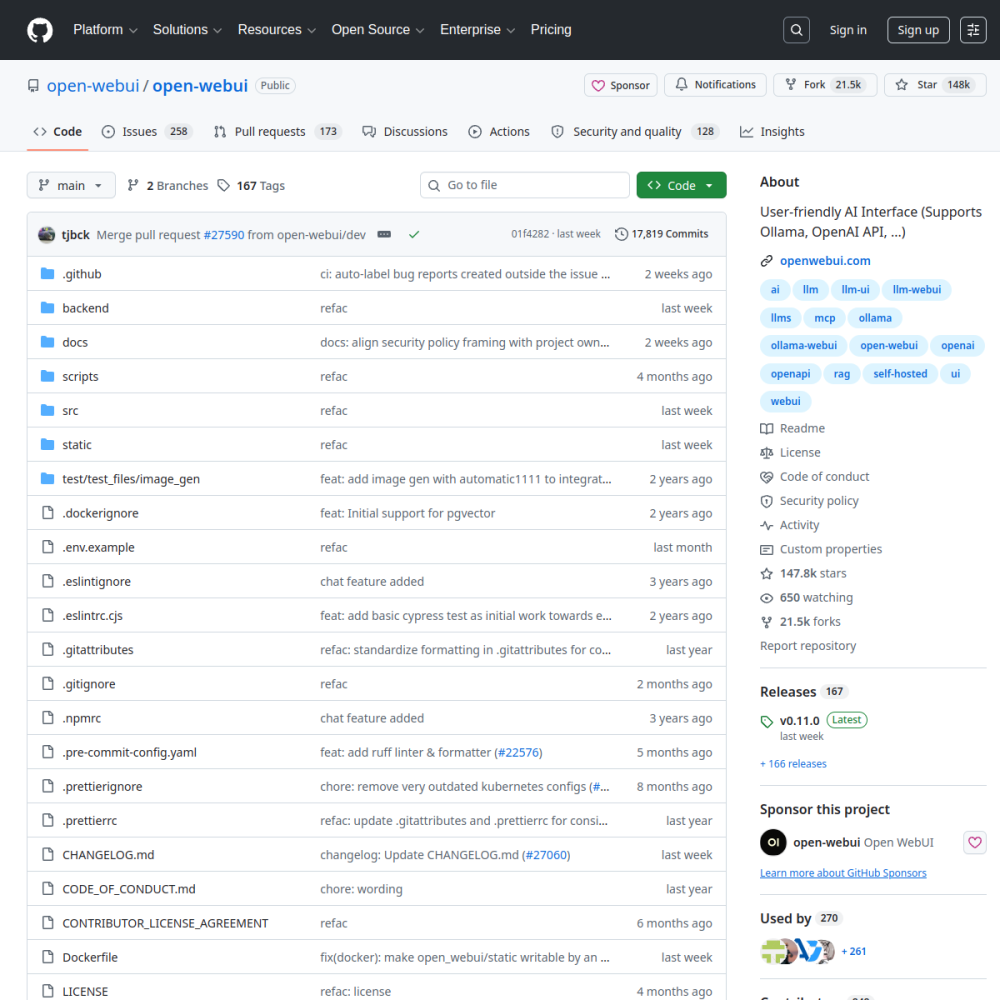
Vendor: open-webui
Open WebUI is a user-friendly AI interface supporting Ollama and OpenAI APIs for self-hosted LLM management.
| Repository | open-webui/open-webui |
|---|---|
| GitHub Stars | ★ 149.8k |
| Forks | 21.9k forks |
| Primary Language | Python |
| License | NOASSERTION |
| Technical Domain | OTHER |
$ git clone https://github.com/open-webui/open-webui.git && cd open-webui
Open WebUI positions itself as a comprehensive web-based interface designed to simplify interaction with large language models. With a substantial community following indicated by its star count, it serves as a bridge between complex backend AI services and end-users seeking an intuitive experience. The project emphasizes self-hosting capabilities, allowing users to maintain control over their data and model deployments.
Core capabilities include broad compatibility with various AI providers, specifically highlighting support for Ollama and OpenAI APIs. The platform integrates advanced features such as Retrieval-Augmented Generation (RAG) and Model Context Protocol (MCP) support, enabling richer interactions beyond simple text completion. Being built with Python, it offers flexibility for developers looking to customize the interface or integrate it into existing workflows.
Key highlights involve its modern user interface and ease of deployment for self-hosted environments. However, performance largely depends on the underlying model infrastructure, meaning users must manage their own compute resources for optimal results. Community engagement is significant given the project's popularity, though specific version stability may vary with rapid updates.
Typical use cases range from personal AI assistants to enterprise internal tools requiring data privacy. Developers utilize it to test different LLM providers through a unified dashboard, while organizations leverage it for secure, on-premises AI deployments. The versatility of the interface makes it suitable for both technical users and general consumers exploring generative AI.
Open WebUI emerged as a comprehensive web-based interface designed to simplify interaction with large language models. It addresses the complexity often associated with backend AI services by providing an intuitive experience for end-users.
The project emphasizes self-hosting capabilities, allowing users to maintain control over their data and model deployments. Built with Python, it offers flexibility for developers looking to customize the interface or integrate it into existing workflows.
Typical use cases range from personal AI assistants to enterprise internal tools requiring data privacy. Individuals utilize it to create a private chat interface that keeps conversations local rather than sending them to external cloud providers.
Developers utilize it to test different LLM providers through a unified dashboard. This allows for rapid comparison of model performance without switching between multiple applications or command-line interfaces. The centralized view simplifies workflow management across various model architectures.
Organizations leverage it for secure, on-premises AI deployments. The versatility of the interface makes it suitable for both technical users and general consumers exploring generative AI.
Deployment begins with installing the necessary dependencies for the Python environment. Users typically pull the project repository and configure the environment to support the underlying model infrastructure.
First run involves connecting to a supported backend such as Ollama or an OpenAI-compatible API. Once connected, the web interface becomes accessible through a local browser instance.
Configuration allows users to select specific models for interaction immediately after launch. This streamlined setup process reduces the barrier to entry for self-hosted LLM management.
The platform integrates advanced features such as Retrieval-Augmented Generation and Model Context Protocol support, enabling richer interactions beyond simple text completion. Its modern user interface and ease of deployment make it a strong candidate for self-hosted environments. These capabilities align with high functionality ratings observed in community reviews.
However, performance largely depends on the underlying model infrastructure, meaning users must manage their own compute resources for optimal results. Community engagement is significant given the project's popularity, though specific version stability may vary with rapid updates.
While specific enterprise adoption metrics are not publicly detailed, the architecture supports scenarios requiring strict data governance. Teams often deploy it within isolated networks to ensure sensitive information remains internal.
Integration scenarios typically involve connecting existing Ollama instances to a shared user interface. This setup allows multiple team members to access the same local models without direct server access. It serves as a gateway for internal tooling where external API access is restricted.
open-webui is an open-source AI project developed primarily in Python under the NOASSERTION license. Open WebUI is a user-friendly AI interface supporting Ollama and OpenAI APIs for self-hosted LLM management.. Open WebUI emerged as a comprehensive web-based interface designed to simplify interaction with large language models. It addresses the complexity often associated with backend AI services by providing an intuitive experience for end-users. The project emphasizes self-hosting capabilities, allowing users to maintain control over their data and model deployments. Built with Python, it offers flexibility for developers looking to customize the interface or integrate it into existing workflows.
Deployment begins with installing the necessary dependencies for the Python environment. Users typically pull the project repository and configure the environment to support the underlying model infrastructure. First run involves connecting to a supported backend such as Ollama or an OpenAI-compatible API. Once connected, the web interface becomes accessible through a local browser instance. Configuration allows users to select specific models for interaction immediately after launch. This streamlined setup process reduces the barrier to entry for self-hosted LLM management.
open-webui is well-suited for Personal self-hosted AI assistant, Unified dashboard for testing different LLMs, Enterprise internal tool with private data. With an overall rating of 4.5/5, it offers strong community activity, reliable performance, and easy integration with existing AI pipelines.
The platform integrates advanced features such as Retrieval-Augmented Generation and Model Context Protocol support, enabling richer interactions beyond simple text completion. Its modern user interface and ease of deployment make it a strong candidate for self-hosted environments. These capabilities align with high functionality ratings observed in community reviews. However, performance largely depends on the underlying model infrastructure, meaning users must manage their own compute resources for optimal results. Community engagement is significant given the project's popularity, though specific version stability may vary with rapid updates.
Minimal tool for running large language models locally