semantic-kernel
Vendor: microsoft
Integrate cutting-edge LLM technology quickly and easily into your apps
Official Preview
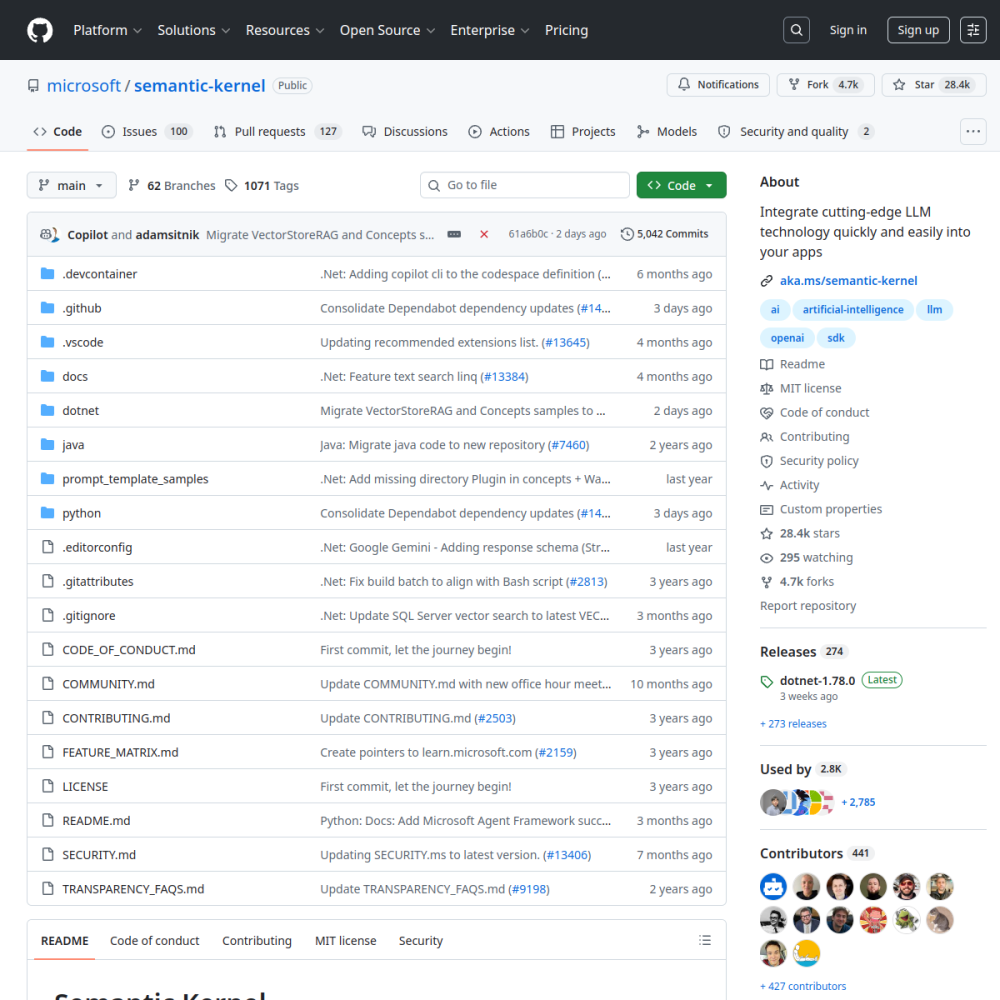
Vendor: microsoft
Integrate cutting-edge LLM technology quickly and easily into your apps
| Repository | microsoft/semantic-kernel |
|---|---|
| GitHub Stars | ★ 28.6k |
| Forks | 4.8k forks |
| Primary Language | C# |
| License | MIT |
| Technical Domain | FRAMEWORK |
$ git clone https://github.com/microsoft/semantic-kernel.git && cd semantic-kernel
# Semantic Kernel
[!IMPORTANT]
Semantic Kernel is now Microsoft Agent Framework! Microsoft Agent Framework (MAF) is the enterprise‑ready successor to Semantic Kernel. Microsoft Agent Framework is now available at version 1.0 as a production-ready release: stable APIs, and a commitment to long-term support. Whether you're building a single assistant or orchestrating a fleet of specialized agents, Microsoft Agent Framework 1.0 gives you enterpri
Microsoft developed Semantic Kernel as an open-source SDK designed to simplify the integration of large language model technology into applications. The project aimed to provide a structured approach for developers to connect AI capabilities with existing codebases using C#. The repository topics highlight its focus on artificial intelligence and SDK development.
It has since evolved into the Microsoft Agent Framework, marking a transition toward a more enterprise-ready successor. This shift indicates a move from experimental integration tools to stable APIs committed to long-term support under the MIT license.
Developers use this framework to build AI assistants and orchestrate specialized agents within their software environments. It targets teams looking to embed generative AI features without managing low-level model interactions directly. This approach reduces the complexity of adopting new AI models.
The SDK supports scenarios ranging from simple chat interfaces to complex multi-agent workflows. Users can leverage the library to connect various AI services while maintaining control over the application logic.
Organizations seeking to modernize legacy systems with AI capabilities often consider this tool for its structured integration patterns. It serves as a bridge between traditional software development and modern generative AI requirements.
Getting started involves adding the SDK to a C# project environment. Developers typically install the package via standard installation processes to access the core libraries. This process ensures compatibility with existing development workflows.
Configuration requires setting up API connections for the desired language model providers. Users must ensure their environment is prepared to handle external AI service requests securely.
Once installed, the framework allows for immediate testing of integration logic. This minimal setup enables rapid prototyping of AI-driven features within existing applications. The goal is to integrate cutting-edge technology quickly and easily.
The project holds a 4.0 out of 5 rating across functionality, documentation, activity, and ease of use. This suggests a reliable foundation for development tasks with sufficient community engagement.
The transition to Microsoft Agent Framework version 1.0 confirms production readiness with stable APIs. Developers can expect long-term support, reducing risk for enterprise deployments compared to earlier experimental versions. The stable release ensures consistency for large-scale projects.
Specific company names are not provided in the available documentation. However, the framework is designed for scenarios involving single assistants or fleets of specialized agents.
Typical integration scenarios involve embedding these agents into enterprise software stacks. Organizations likely utilize the stable APIs to manage complex AI workflows within their internal systems.
semantic-kernel is an open-source AI project developed primarily in C# under the MIT license. Integrate cutting-edge LLM technology quickly and easily into your apps. Microsoft developed Semantic Kernel as an open-source SDK designed to simplify the integration of large language model technology into applications. The project aimed to provide a structured approach for developers to connect AI capabilities with existing codebases using C#. The repository topics highlight its focus on artificial intelligence and SDK development. It has since evolved into the Microsoft Agent Framework, marking a transition toward a more enterprise-ready successor. This shift indicates a move from experimental integration tools to stable APIs committed to long-term support under the MIT license.
Getting started involves adding the SDK to a C# project environment. Developers typically install the package via standard installation processes to access the core libraries. This process ensures compatibility with existing development workflows. Configuration requires setting up API connections for the desired language model providers. Users must ensure their environment is prepared to handle external AI service requests securely. Once installed, the framework allows for immediate testing of integration logic. This minimal setup enables rapid prototyping of AI-driven features within existing applications. The goal is to integrate cutting-edge technology quickly and easily.
semantic-kernel is well-suited for . With an overall rating of 4.0/5, it offers strong community activity, reliable performance, and easy integration with existing AI pipelines.
The project holds a 4.0 out of 5 rating across functionality, documentation, activity, and ease of use. This suggests a reliable foundation for development tasks with sufficient community engagement. The transition to Microsoft Agent Framework version 1.0 confirms production readiness with stable APIs. Developers can expect long-term support, reducing risk for enterprise deployments compared to earlier experimental versions. The stable release ensures consistency for large-scale projects.
Minimal tool for running large language models locally