llama.cpp
Vendor: ggerganov
Efficient LLM inference engine implemented in C++
Official Preview
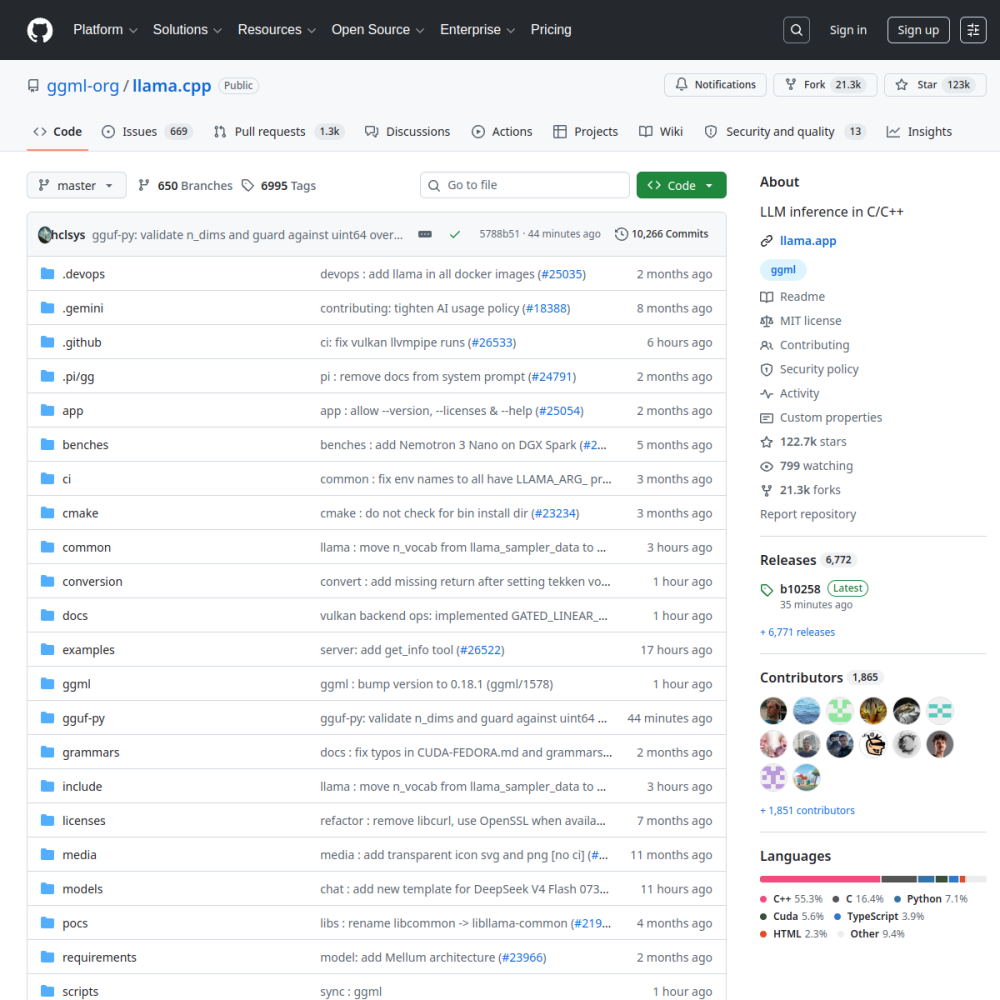
Vendor: ggerganov
Efficient LLM inference engine implemented in C++
| Repository | ggerganov/llama.cpp |
|---|---|
| GitHub Stars | ★ 129.9k |
| Forks | 23.9k forks |
| Primary Language | C++ |
| License | MIT |
| Technical Domain | INFERENCE |
$ git clone https://github.com/ggerganov/llama.cpp.git && cd llama.cpp
llama.cpp is the de facto standard for local LLM inference: a pure C++ rewrite of the LLaMA architecture with zero dependencies and single-file compilation. It is the underlying engine for almost every local inference tool (Ollama, LM Studio, and others). It pushes inference performance to the limit and runs on CPU, GPU, and NPU alike.
Core capabilities include the GGUF model format (now the de facto standard for open-weight distribution), multiple backends (CUDA, Metal, Vulkan, SYCL), KV cache quantization, Flash Attention, speculative decoding, and server / CLI / embedding invocation modes. Quantization support (Q4_K_M, Q5_K_M, etc.) is the most comprehensive among peers.
The highlight is that low-end hardware can still run 70B models, with excellent cross-platform portability. The downside is a low-level API: users must handle model download, quantization, and parameter tuning themselves, making the onboarding curve notably steeper than wrapper tools like Ollama.
Use cases: edge and embedded inference, self-built inference backends, providing the engine layer for higher-level applications. Those wanting out-of-the-box usage should reach for Ollama instead.
llama.cpp is a pure C++ implementation of the LLaMA architecture designed specifically for efficient local inference. It was created to eliminate heavy dependencies, allowing for single-file compilation and broad hardware compatibility across different operating systems. The project addresses the critical need for running large language models on consumer hardware without relying on complex Python environments or external libraries.
Developers building custom inference backends utilize this library to integrate model capabilities directly into proprietary applications. Edge device deployment benefits significantly from the engine's ability to run 70B models on constrained hardware resources where memory is limited. It serves as the foundational engine layer for higher-level tools that require maximum performance and flexibility over ease of use.
Users seeking out-of-the-box experiences should consider wrapper tools instead, as this library targets technical users needing granular control. Embedded AI deployment scenarios also leverage the cross-platform portability to function on diverse hardware architectures including CPUs and NPUs.
Installation typically involves cloning the repository and compiling the source code using standard C++ build tools. Users can generate executables for CLI, server, or embedding modes depending on their specific integration requirements and target environment. Once built, the main executable allows direct interaction with GGUF model files through command-line arguments for immediate testing.
The process requires manual handling of model downloads and quantization steps before the first run can occur. This setup ensures the environment is configured correctly for the specific hardware backend available on the user's system.
The project demonstrates high production readiness with comprehensive quantization formats and multi-backend support for various accelerators like CUDA and Metal. However, the low-level API requires users to manage model downloads, quantization, and parameter tuning manually without automated assistance. This results in a steeper onboarding curve compared to wrapper tools designed for immediate usability by non-technical users.
Functionality scores highly due to features like Flash Attention and speculative decoding, though documentation ease is slightly lower than full-stack solutions. The trade-off favors performance and control over simplicity, making it suitable for production systems where optimization is critical. It enables running 70B models on low-end hardware despite resource constraints.
The engine serves as the underlying technology for popular local inference tools such as Ollama and LM Studio. These applications leverage the library's performance optimizations to provide user-friendly interfaces for model interaction without exposing the underlying complexity. While specific enterprise adoption details are not publicly disclosed, the library is widely recognized as a standard component in local AI software stacks.
Integration scenarios often involve embedding the C++ library directly into desktop applications or server-side processes. This allows developers to maintain tight control over resource management while benefiting from the established GGUF model format standard.
llama.cpp is an open-source AI project developed primarily in C++ under the MIT license. Efficient LLM inference engine implemented in C++. llama.cpp is a pure C++ implementation of the LLaMA architecture designed specifically for efficient local inference. It was created to eliminate heavy dependencies, allowing for single-file compilation and broad hardware compatibility across different operating systems. The project addresses the critical need for running large language models on consumer hardware without relying on complex Python environments or external libraries.
Installation typically involves cloning the repository and compiling the source code using standard C++ build tools. Users can generate executables for CLI, server, or embedding modes depending on their specific integration requirements and target environment. Once built, the main executable allows direct interaction with GGUF model files through command-line arguments for immediate testing. The process requires manual handling of model downloads and quantization steps before the first run can occur. This setup ensures the environment is configured correctly for the specific hardware backend available on the user's system.
llama.cpp is well-suited for Edge device local inference, Self-built inference backend, Embedded AI deployment. With an overall rating of 4.5/5, it offers strong community activity, reliable performance, and easy integration with existing AI pipelines.
The project demonstrates high production readiness with comprehensive quantization formats and multi-backend support for various accelerators like CUDA and Metal. However, the low-level API requires users to manage model downloads, quantization, and parameter tuning manually without automated assistance. This results in a steeper onboarding curve compared to wrapper tools designed for immediate usability by non-technical users. Functionality scores highly due to features like Flash Attention and speculative decoding, though documentation ease is slightly lower than full-stack solutions. The trade-off favors performance and control over simplicity, making it suitable for production systems where optimization is critical. It enables running 70B models on low-end hardware despite resource constraints.
Minimal tool for running large language models locally