Ollama
Vendor: ollama
Minimal tool for running large language models locally
Official Preview
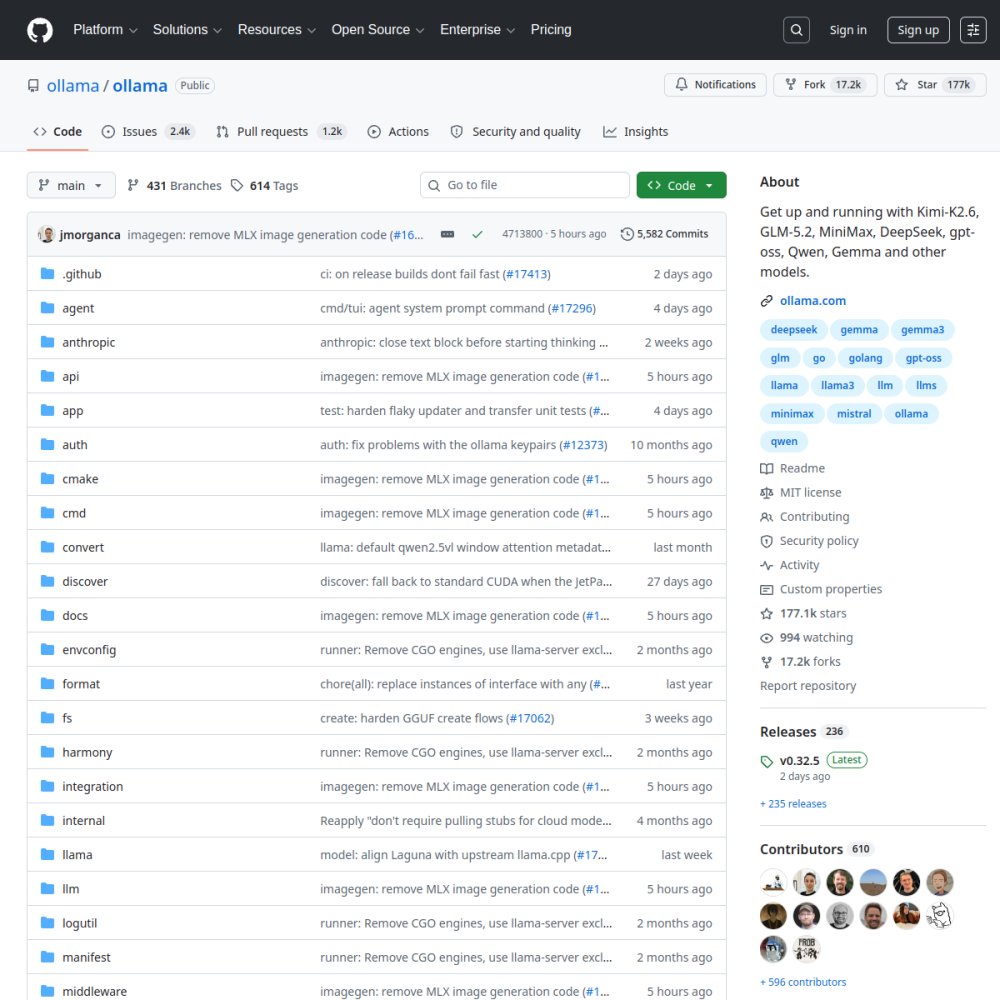
Vendor: ollama
Minimal tool for running large language models locally
| Repository | ollama/ollama |
|---|---|
| GitHub Stars | ★ 181.9k |
| Forks | 18k forks |
| Primary Language | Go |
| License | MIT |
| Technical Domain | INFERENCE |
$ ollama run llama3
Ollama compresses local LLM deployment into a Docker-like experience: one command to pull a model, one command to start a service. It has become the default entry point for personal developers and private environments wanting to run LLMs locally. A Modelfile unifies weights, prompts, and parameters, wrapping the raw complexity of llama.cpp behind a clean CLI.
Core capabilities include a built-in model library (Llama 3, Qwen, Gemma, Mistral work out of the box), an OpenAI-compatible REST API, multimodal vision model support, and a consistent experience across macOS, Linux, and Windows. GPU acceleration works out of the box on both Apple Silicon and NVIDIA CUDA.
The highlight is near-zero onboarding cost: ollama run llama3 is enough to start chatting. The downside is limited quantization options (only a handful of GGUF quants are shipped per model) and weak control over KV cache and batching parameters, so it is not suited for throughput-critical production serving.
Use cases: local inference and prototyping on dev machines, private LLM services in air-gapped networks, teaching demos and model comparison. Not recommended as a high-concurrency production backend.
Ollama emerged to simplify the deployment of large language models on local hardware. It addresses the complexity of configuring weights, prompts, and parameters by wrapping the raw functionality of llama.cpp behind a clean command-line interface.
The project aims to make local AI accessible to personal developers and private environments without requiring deep infrastructure knowledge. It compresses local LLM deployment into a Docker-like experience where one command pulls a model and another starts the service. A Modelfile unifies weights, prompts, and parameters to manage complexity.
Developers utilize Ollama for local inference and prototyping on personal machines. It allows engineers to test prompts and models quickly without relying on external cloud APIs. This setup is ideal for iterating on application logic before committing to a hosted provider.
Private organizations deploy the tool to run LLM services in air-gapped networks. This ensures data sovereignty by keeping sensitive information off public internet endpoints. It serves as a secure backend for internal knowledge bases or document processing tasks where privacy is paramount.
Educators and students use the platform for teaching demos and model comparison. The ability to switch between models like Llama 3, Qwen, and Gemma facilitates learning about different model behaviors. It provides a consistent environment for experimenting with multimodal vision capabilities across different operating systems.
Installation is straightforward across macOS, Linux, and Windows. Users download the binary or package manager installation and verify the service is running. No complex container orchestration is required to begin testing models on consumer hardware.
Once installed, running a model requires a single command such as ollama run llama3. This command downloads the necessary weights and starts an interactive chat session immediately. Users can also pull specific models from the built-in library using the ollama pull command.
The tool scores highly on ease of use and activity, achieving a 4.5 out of 5 rating overall. Native Apple Silicon acceleration and NVIDIA CUDA support ensure reasonable performance on consumer hardware. The OpenAI-compatible REST API allows integration with existing tooling without significant refactoring.
However, it is not recommended as a high-concurrency production backend. Limitations include weak control over KV cache and batching parameters, which restricts throughput optimization. Additionally, limited quantization options mean users cannot fine-tune memory usage as precisely as with raw llama.cpp configurations.
While specific enterprise adoption lists are not officially published, the tool is widely recognized as a default entry point for personal developers. It is frequently integrated into local development environments where privacy and cost control are priorities.
Typical integration scenarios involve connecting the OpenAI-compatible API to local chat interfaces or document processing pipelines. Organizations may use it for internal proof-of-concept projects before scaling to dedicated inference servers.
Ollama is an open-source AI project developed primarily in Go under the MIT license. Minimal tool for running large language models locally. Ollama emerged to simplify the deployment of large language models on local hardware. It addresses the complexity of configuring weights, prompts, and parameters by wrapping the raw functionality of llama.cpp behind a clean command-line interface. The project aims to make local AI accessible to personal developers and private environments without requiring deep infrastructure knowledge. It compresses local LLM deployment into a Docker-like experience where one command pulls a model and another starts the service. A Modelfile unifies weights, prompts, and parameters to manage complexity.
Installation is straightforward across macOS, Linux, and Windows. Users download the binary or package manager installation and verify the service is running. No complex container orchestration is required to begin testing models on consumer hardware. Once installed, running a model requires a single command such as ollama run llama3. This command downloads the necessary weights and starts an interactive chat session immediately. Users can also pull specific models from the built-in library using the ollama pull command.
Ollama is well-suited for Local prototype development, Air-gapped private LLM service, Teaching and model comparison. With an overall rating of 4.5/5, it offers strong community activity, reliable performance, and easy integration with existing AI pipelines.
The tool scores highly on ease of use and activity, achieving a 4.5 out of 5 rating overall. Native Apple Silicon acceleration and NVIDIA CUDA support ensure reasonable performance on consumer hardware. The OpenAI-compatible REST API allows integration with existing tooling without significant refactoring. However, it is not recommended as a high-concurrency production backend. Limitations include weak control over KV cache and batching parameters, which restricts throughput optimization. Additionally, limited quantization options mean users cannot fine-tune memory usage as precisely as with raw llama.cpp configurations.
Efficient LLM inference engine implemented in C++